
-
 Send your requirement
 -
 Have any question?


In this guide: a practical, step-by-step order of work for doctors, clinic owners and clinic managers in India who want more patients to find them online. It covers your Google listing, website, content, reviews, social media, Google Ads and enquiry handling, and how to tell whether any of it is working. It is general information, not legal advice; the section on advertising rules tells you where to check the current requirements.
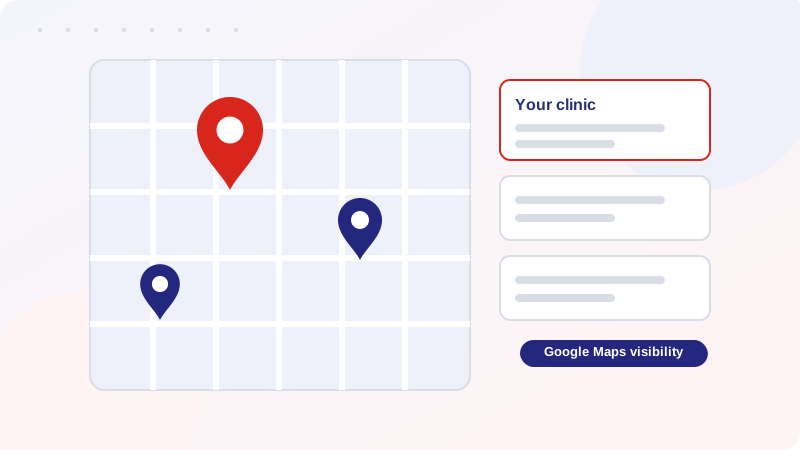
When someone in India needs a new doctor or a clinic for a family member, the first step is very often a search: a speciality and a city, or simply “clinic near me”. They look at the map results, read a few reviews, open a website or two, and then call, message on WhatsApp or walk in. A clinic that is missing at any of those points loses the patient to a clinic that is not. Promoting a clinic online is therefore less about “going viral” and more about being accurate, visible and easy to contact at each of those points.
Before you change anything, write down in one sentence what a good month looks like for your clinic. It might be “more booked appointments for dental implants”, “fewer missed calls”, or “a steady flow of new patients for a newly opened second branch”. Your answer decides where to spend effort. A new clinic with no online footprint should start with the basics in steps 1 to 3. A clinic that already has a decent profile and website may get more from steps 4 to 7. Nobody can promise you a particular number of patients, and you should be careful with any agency or freelancer that does, but a clear goal makes it possible to judge progress honestly.
Search engines and patients both rely on three details: your clinic’s name, address and phone number, usually shortened to NAP. Decide on one version of each and use it everywhere: Google, your website, Facebook, Instagram, LinkedIn, Justdial, Practo-style doctor directories and any local listing you control. Small differences matter more than people expect: “Dr. Sharma’s Dental Clinic” on one site and “Sharma Dental Care” on another, an old phone number, a missing floor or landmark, or timings that changed last year.
A short, practical routine: search for your own clinic name on Google, open every result that shows your details, and note anything that differs from your chosen version. Fix the ones you control, and claim or request corrections on the rest. Do this before you create anything new, because every new listing you create with inconsistent details adds to the confusion.
For most clinics, the Google Business Profile (the listing that appears on Google Search and Google Maps) is the single most useful free asset. It is what appears when a patient searches for a clinic near them. To make it work properly:
If you have more than one location, each real, staffed location needs its own accurate profile. Do not create profiles for addresses where you do not actually see patients.
A Google profile helps people find you; a website gives them reasons to trust you. A clinic website does not need to be elaborate, but it should load quickly on a mobile phone and answer the questions a new patient has:
Put a call button and a WhatsApp button on every page, and make the booking form short. Many of your visitors will arrive on a mobile phone, so check every page on a real phone. Add a privacy policy that explains how you handle the details people send through your forms. If you want help with the build, see our website design and development service, or read how we approach digital marketing for clinics.
Patients search for symptoms, conditions and treatments, not for your clinic by name. One well-written page per major treatment or condition lets you appear for those searches and shows your expertise before they have met you. Good clinic content:
Start with the three or four treatments that matter most to your practice rather than trying to cover everything. Over time, the clinic’s site becomes a library patients can use, which is also what search engines look for when judging whether a health page is trustworthy. Our SEO for doctors page explains how this connects to search visibility.
Reviews are one of the things patients read when comparing clinics, and Google shows ratings next to your listing. The only sustainable approach is to ask real patients for honest feedback, the same way for everyone, without rewards and without choosing who to ask based on how happy they seem. We cover the policy points, wording and reply examples in our separate guide: How to Get Genuine Google Reviews for Your Clinic or Hospital. Never buy reviews, and never reveal anything about a patient’s treatment in a reply.
Social media helps patients get to know the doctor before the first visit. Short educational videos, explanations of common conditions, clinic news and answers to frequent questions work well because they are useful, not because they are flashy. Pick one or two platforms where your patients actually are, such as Facebook, Instagram or YouTube, and post at a pace you can keep up.
Doctors in India are bound by their medical council’s professional conduct rules, and advertising standards and platform policies add further limits. In practice this usually means sticking to factual information, avoiding superlatives and promised outcomes, protecting patient privacy, and not using patient photos or testimonials as promotion without checking what is allowed. The rules can change, so read the current text of your council’s regulations and the Advertising Standards Council of India (ASCI) guidance yourself, and ask a legal adviser about any grey areas before you publish. Responsibility for clinical statements always stays with the practitioner.
Search ads can bring enquiries sooner than organic work, because your ad can appear when someone searches for your speciality and city. They work well when the landing page is clear and the phone is answered, so do steps 1 to 3 first. Healthcare is a regulated category for advertising on Google, so read Google’s current healthcare and medicine advertising policies before you start and make sure your ads and pages comply. Start with a small number of specific services, track calls and form submissions from the beginning, and review the search terms regularly so you are not paying for irrelevant clicks. See our Google Ads for clinics page for how we approach this.
Marketing only works if someone answers. Decide who handles calls and WhatsApp messages, what the target response time is, and what happens after hours. A short script for the front desk (greet, ask the reason for the visit, offer slots, confirm by message) improves the experience. Missed calls should get a callback. If the clinic is too busy to manage this, a virtual medical assistant can handle booking and follow-up on non-clinical matters. Do not give clinical advice by message to people you have not examined.
Track a few simple numbers each month rather than dozens. Compare them with the previous month and with your goal from the start of this guide.
| What to track | Where to find it | What it tells you |
|---|---|---|
| Calls and messages from your Google profile | Google Business Profile performance section | Whether local visibility is turning into contact |
| Website visits and where they come from | Google Analytics (GA4) and Search Console | Which pages and searches bring people to you |
| Form submissions, call-button taps and WhatsApp taps | Event tracking on the website | How many visitors actually try to contact you |
| New reviews and their content | Your Google profile | Patient experience and recurring issues |
| Appointments booked from online enquiries | Your appointment register (ask new patients how they found you) | The real result, which no dashboard shows |
This is an order of work, not a promise of results. Every clinic, speciality and city is different.
Create and verify an accurate Google Business Profile and make sure your name, address and phone number are identical everywhere. After that, build a simple, fast website that explains your services and how to contact you.
A profile helps people find you, but a website gives you space to explain treatments, show your credentials and capture enquiries. The two support each other, so most clinics benefit from both.
Doctors can share factual information such as qualifications, services, timings and address, and can publish patient-education content. Medical council rules restrict solicitation, exaggerated claims and misleading promotion. Check your council’s current rules and ask a legal adviser about anything you are unsure of.
Google Ads can bring enquiries within days to weeks once campaigns are live. Local SEO and Google Maps improvements usually take a few months, and competitive searches take longer. Be wary of anyone who guarantees a ranking or a number of patients.
Many of the foundations in this guide, such as the profile, accurate details and a review routine, can be done by the clinic itself. An agency can help with the website, search optimisation, ads and tracking if you do not have time or in-house skills. Whoever you choose, insist that the Google, analytics and ad accounts are in your clinic’s name.
Disclosure: Sai Healthcare Marketing is a healthcare digital marketing agency that offers some of the services mentioned above. This article is general guidance and not legal or medical advice.
Tell us your speciality and city, and we will send a written proposal.
Get a Quote Contact Us Call +91-9354503426